
GroupSnap
One shared camera roll for the whole event.
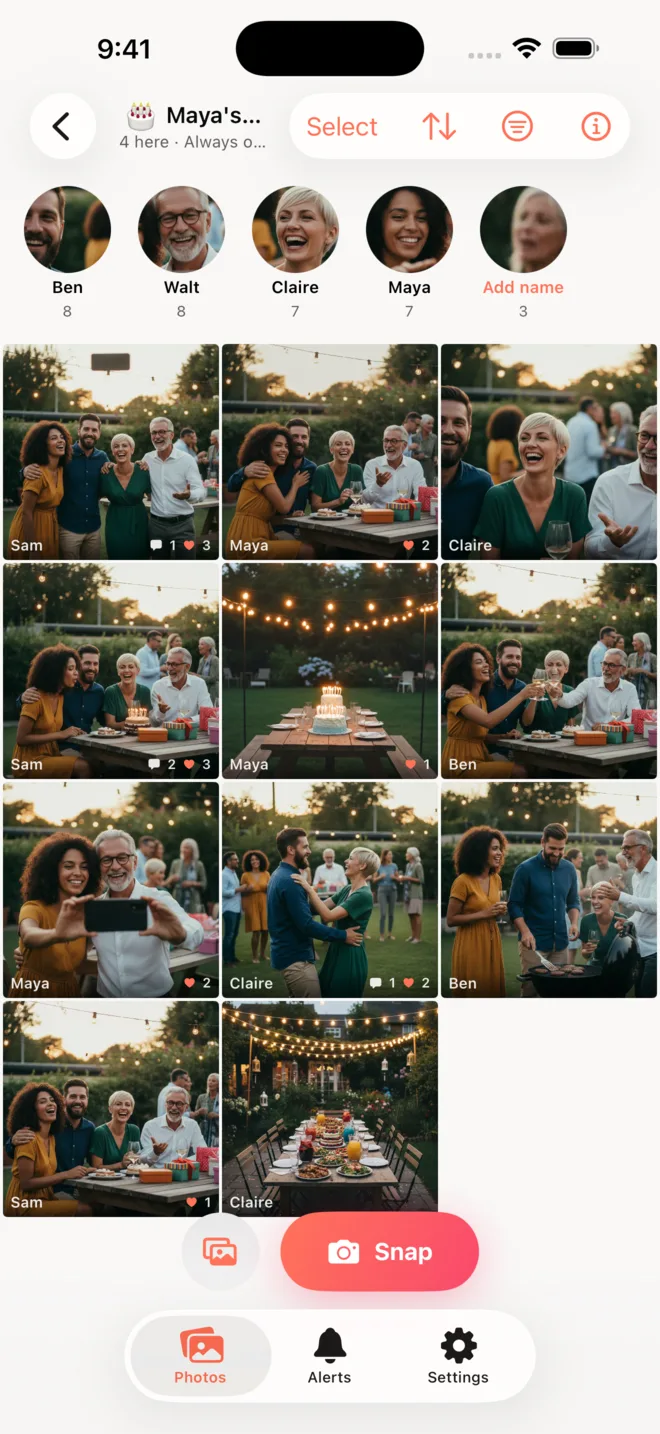
Everyone at the wedding shot photos. Now they are on forty different phones. GroupSnap puts them all in one place while the party is still happening.
What it does
One album, everyone
Every guest shoots into the same roll. You get the whole night, not just your corner of it.
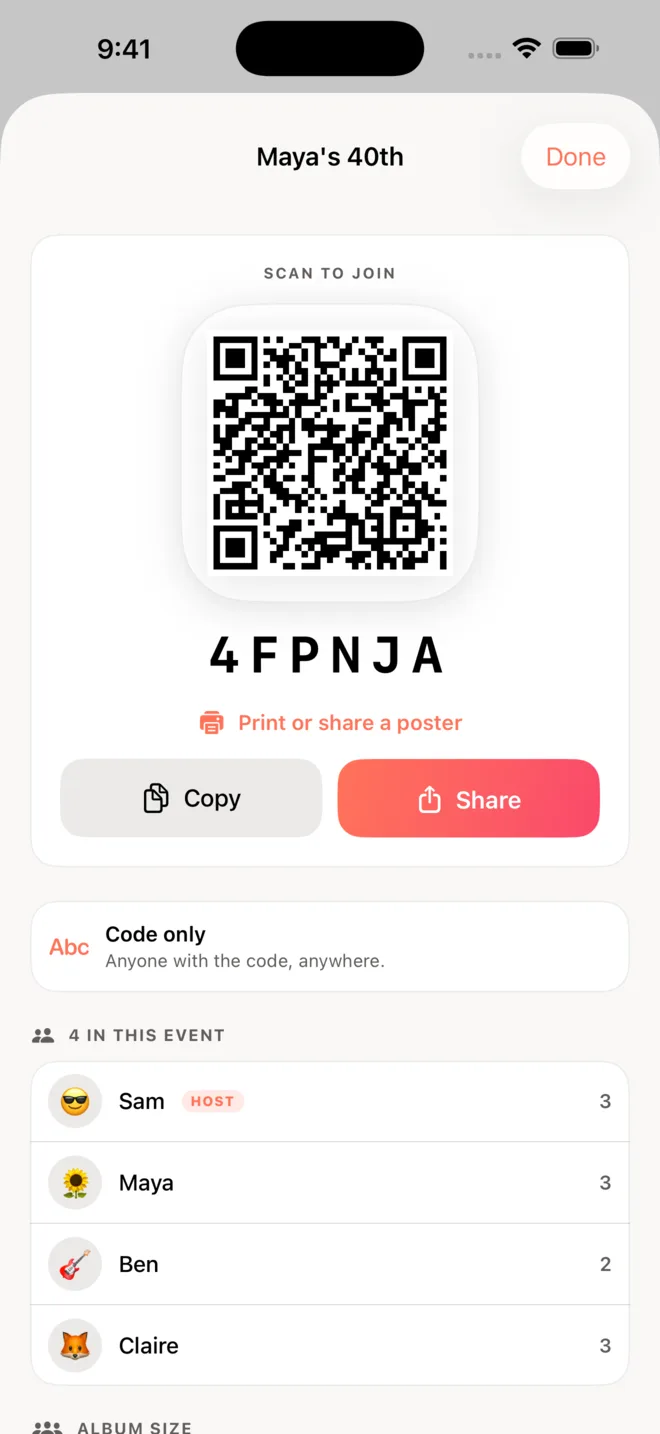
Join by code or QR
Guests scan or type a short code. No account to make.
Big, sharp copies
Up to 2400px on the long edge — not the squashed thumbnails a group chat gives back. Plenty to print.
Take the album with you
Save the whole roll into a Photos album, or export it as one .zip for Files, Drive or AirDrop.
Any phone works
No iPhone? Open the album in a browser, add your photos, see everyone else’s. Nothing to install.
Made for events
A wedding, a bar mitzvah, a trip, a birthday. It closes when you say so.
Questions
Do guests need the app?
No. Anyone can open the album in a browser and add photos there. The app is nicer on an iPhone, but it is not required, and neither way asks for an account.
Does the browser version cost anything or need a sign-in?
Neither. You type your name, type the album code, and you are in.
What does it cost?
Nothing for an album of up to 9 people — unlimited photos, unlimited albums. Past 9, the host unlocks the album: $0.99 for that one album forever, or $1.99 a month for every album they host. Guests never pay, and nobody already in an album is ever removed.
How long do the photos stay?
As long as the album is open. Download everything before you close it.
Are the photos public?
No. Only people with the code can see the album. A host can also require guests to be physically at the venue instead of using a code at all.
Can I download the whole album at once?
Yes. From the album’s info screen, “Save all to Photos” puts every photo into an album on your phone named after the event, and “Download all as a file” makes one .zip you can send to Files, Drive or anyone else. Any member can do it, not just the host.